 EmTech Media
Win 10 / 11 · Maintenance
Black screen? Check the display signal path first
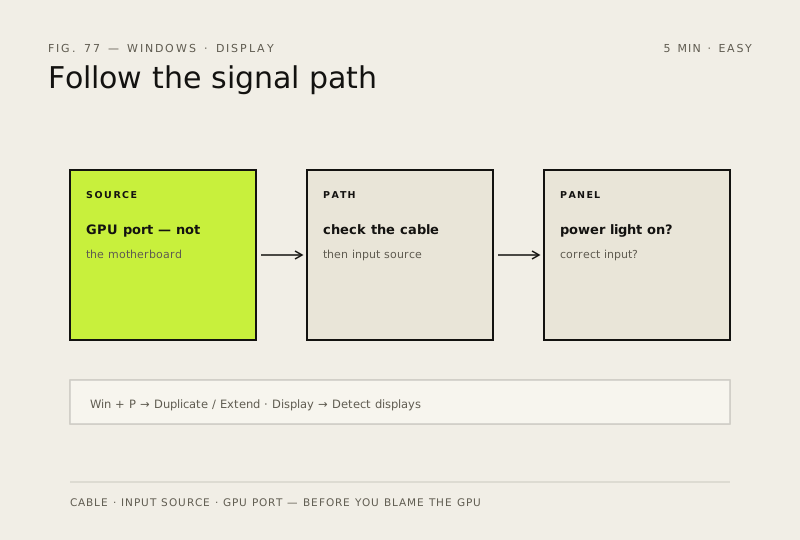
A black screen on a powered-on PC is usually the picture not reaching the panel — cable, input source, or projection mode. Check the path before you suspect the GPU.
Before you start
Low risk. This change is reversible — you can return to the previous state without professional help or data loss.
Steps
- Confirm the monitor itself: power light on, correct input source selected (HDMI1 vs HDMI2 vs DisplayPort), and try a different cable if you have one
- Desktops with a graphics card: the screen must be plugged into the GPU's ports at the back of the case, not the motherboard's — the most common 'no signal' cause
- External monitor not showing up? Press Win + P and pick Duplicate or Extend, then Settings → System → Display → Detect displays
- If the same screen works on another PC (or your laptop's own panel shows a picture with a different display), stop here — the fault is in this machine's output path; get it checked rather than replacing parts blind
How to verify the fix
The picture returns — desktop visible on the expected screen, or the external monitor shows its own image in Duplicate/Extend mode.
If this didn't fix it
Still no signal after cable, port and projection checks — likely a GPU/driver fault: move to 'Check for driver updates (in the right order)' before considering hardware replacement.
Next stop: the related fixes below, or start a guided diagnosis.