 EmTech Media
Win 10 / 11 · Maintenance
PC won't turn on? Run the five-minute power check
A completely dark PC is usually one boring thing — a socket, a switch, or a stuck power state. Five minutes of checks separates 'dead' from 'just asleep', and nothing here can damage the machine.
Before you start
Low risk. This change is reversible — you can return to the previous state without professional help or data loss.
Steps
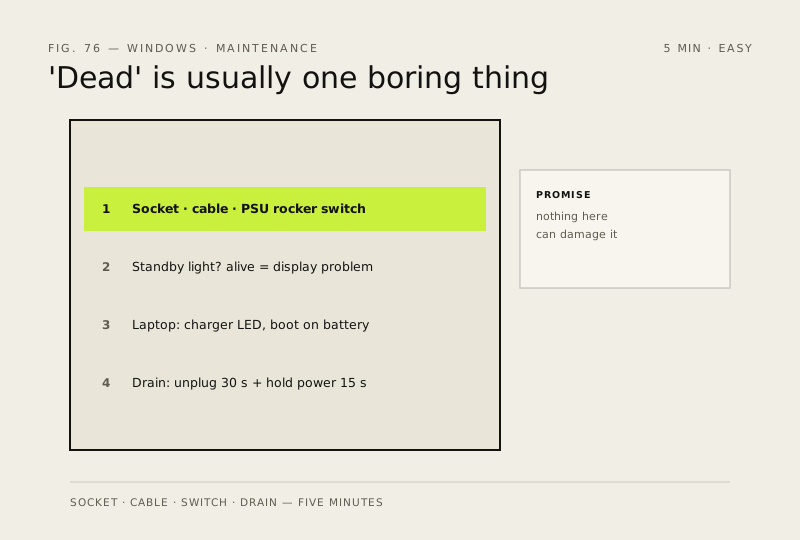
- Check the boring stuff first: wall socket (try another), power cable firmly seated at both ends, and that little O/I rocker switch on the back of the PSU — half of all 'dead PC' calls end here
- Look for a standby light on the case or front panel. On with no display = it's alive, this is now a display problem; off = keep going down this list
- Laptop: check the charger's indicator and try booting on battery alone (unplug AC). A dead charge path masquerades as a dead PC
- Full discharge reset: power off, unplug everything removable for 30 seconds, hold the power button 15 seconds to drain residual charge, then reconnect one cable at a time and try again — stuck electrical states look exactly like death and die with them
How to verify the fix
The PC powers on — standby light comes on, fans spin, and it reaches the boot screen or desktop.
If this didn't fix it
Still no sign of life after outlet, cable, PSU switch and full-discharge checks — that's a power-supply or motherboard fault; stop here and get professional help rather than opening the case blind. If it powers on but shows no display, move to 'Black screen? Check the display signal path first'.
Next stop: the related fixes below, or start a guided diagnosis.