 EmTech Media
Win 10 / 11 · Security
Skip paid antivirus — and keep Defender sharp
Most 'security suites' slow your PC down more than the malware they catch. The built-in defender is better than you think — if you switch it on properly.
Before you start
Medium risk. This change is reversible — you can return to the previous state without professional help or data loss.
Steps
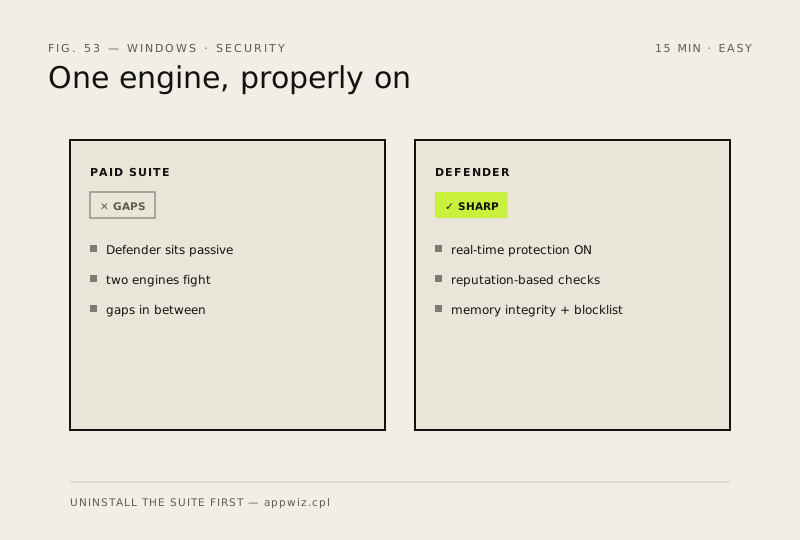
- Uninstall the suite first (win+r → appwiz.cpl) — while a third-party AV is present, Defender sits in passive mode, and two engines fighting each other leaves gaps
- Windows Security → Virus & threat protection → Manage settings → confirm 'Real-time protection' is on
- App & browser control → turn on 'Reputation-based protection' so sketchy downloads get flagged before they run
- Device security → Core isolation details → enable Memory integrity and the Microsoft Vulnerable Driver blocklist
- Run a Full scan once, then monthly; for a second opinion use Microsoft Safety Scanner or MSRT — portable, no install needed
How to verify the fix
Defender shows Real-time protection On with no third-party AV installed, and a full scan completes clean.
If this didn't fix it
Apps or games break after enabling Memory integrity — note which ones; disable that single setting if the conflict is unacceptable.
Next stop: the related fixes below, or start a guided diagnosis.