 EmTech Media
Any · Security
Tighten up Chrome — the 10-minute pass
Out of the box, Chrome tracks more than it needs to and keeps running apps after you close it. Ten toggles fix most of it.
Before you start
Low risk. This change is reversible — you can return to the previous state without professional help or data loss.
Steps
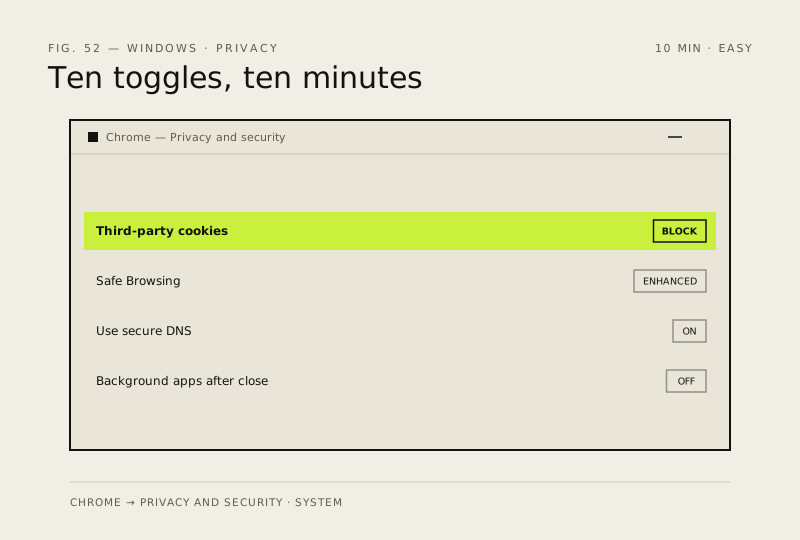
- Settings → Privacy and security → Third-party cookies → 'Block third-party cookies' — kills cross-site tracking
- Privacy and security → Security → Safe Browsing → pick 'Enhanced protection' for real-time threat checks, not just a known-bad list
- Same page → Advanced → turn on 'Use secure DNS' (Cloudflare or your OS default) so your ISP can't read which sites you visit
- Settings → System → turn off 'Continue running background apps when Google Chrome is closed'
- myactivity.google.com/activity-controls → Web & App Activity → Auto-delete after 3 months — or switch it off entirely if personalization isn't worth the trail
How to verify the fix
Third-party cookies are blocked, Enhanced Safe Browsing is on, and Chrome no longer runs background apps after you close it.
If this didn't fix it
A site breaks after the cookie block — allow that specific site's cookies in Site Settings rather than reverting everything.
Next stop: the related fixes below, or start a guided diagnosis.