 EmTech Media
Win 10 · Maintenance
Windows 10 is past end of support — what to do now
Windows 10 stopped getting security updates on 14 October 2025. The PC still works — it just stops getting patched, and that gap widens every month.
Before you start
Medium risk. This change is reversible — you can return to the previous state without professional help or data loss.
Steps
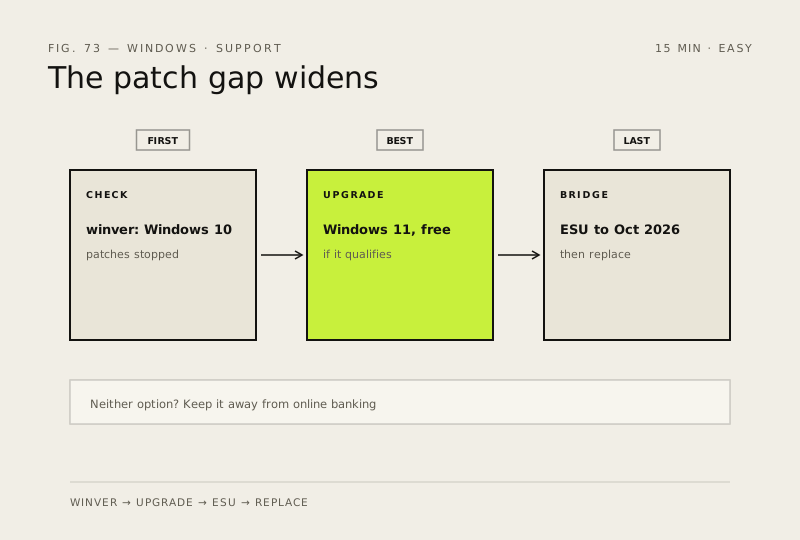
- Check what you're actually on: Win + R → winver. If it says Windows 10, you're no longer receiving security fixes
- Best option: upgrade to Windows 11, which is still free for qualifying PCs — run 'Check whether your PC can run Windows 11' first so you know what you're dealing with
- If it doesn't qualify, enrol in consumer Extended Security Updates (Settings → Windows Update → Enrol now). It buys security-only patches through October 2026 — no new features, and it is a bridge, not a destination
- If neither is possible, treat the machine as untrusted: keep it away from online banking, leave Defender on, and plan either a replacement or a move to a supported Linux desktop
How to verify the fix
winver shows Windows 11 (or ESU enrolment confirmed), and your daily apps still work after the change.
If this didn't fix it
The PC doesn't qualify for Win11 and ESU isn't available — treat it as untrusted: no online banking, Defender on, plan a replacement.
Next stop: the related fixes below, or start a guided diagnosis.